
SEO & AI SEO
November 11, 2026

SEO & AI SEO
15 min read


CSO & Co-Founder at Explore Agency
Bohdan (Bo) leads strategy at Explore Agency, where he and his team develop growth systems for businesses in the home services, healthcare, and legal sectors. Their work centres on helping organizations achieve more predictable and profitable growth.
Book a Discovery CallWhen service-area businesses ask "how to rank higher on google maps," the answer starts with configuring your GBP in SAB mode: define a service-area polygon, hide your home address, and select the most specific primary category for your trade. These three settings determine whether you appear at all in your market. Reviews, posts, and photos compound the signal once your local search foundation is correctly built.
Rank on Google Maps and you own the highest-intent traffic in your city. The business owner who calls you from the 3-pack has already decided to buy. They searched "emergency HVAC repair" or "roofer near me" and your name appeared first. The roofer who does not appear in that pack does not lose a click. They lose the job entirely, to a competitor who may run a smaller crew and quote higher.
The 3-pack is not a vanity metric. It is the top of your phone's inbound queue. When someone searches for a service in your city with purchase intent, the local pack captures the click before organic results, before ads in many cases, and before anyone else in the market. The company in position one answers the phone more often. The company in position four or not in the pack at all watches competitor vans roll past their shop.
The economics are direct. A roofer invisible in the local pack for "roof repair Ottawa" does not simply get fewer impressions. They get outbid for the highest-intent calls in their market by whoever happens to hold that position, regardless of crew quality, warranty, or reputation. That competitor does not need a better product. They need a better GBP.

Google uses three signals to decide which businesses appear in Maps results. Understanding each one tells you which levers sit inside your GBP and which do not.
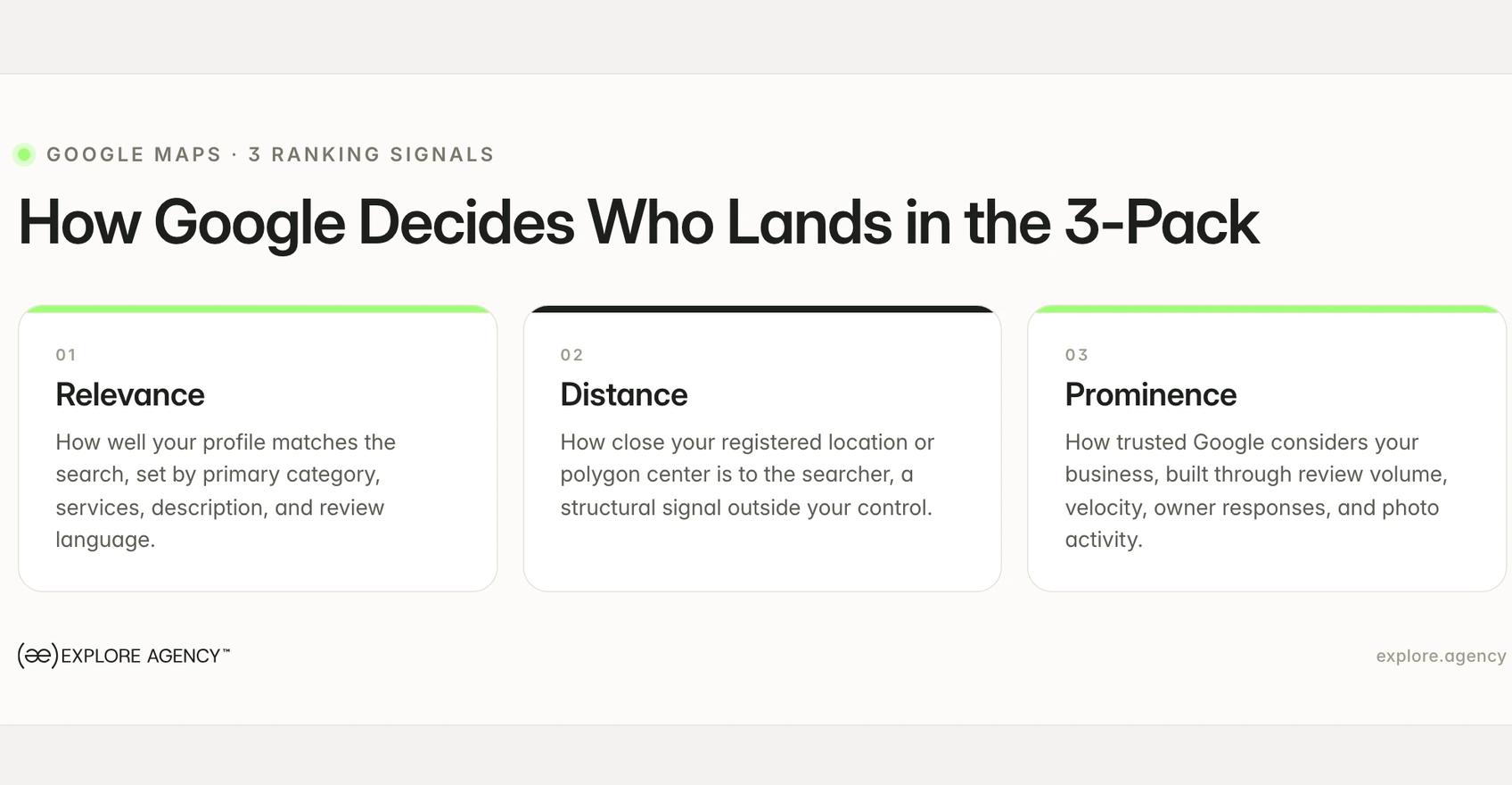
Every trades owner who asks "how to rank higher on google maps" is really asking which of these three signals they can move today and which are fixed by geography. Relevance and prominence are largely within your control. Distance is not. The sections below work through each controllable signal in order of impact.
Service-area businesses must configure their GBP differently than storefronts. Skipping the SAB setup is the most common reason a trades company never appears in its own service area, or disappears from Maps entirely after a settings change. The fix is specific: define a service-area polygon, then hide your address if applicable.
The hide-address toggle exists for one reason: to let businesses that do not receive customers at their location stop showing a home address publicly. For a plumber working out of their house, that matters. The trap is what happens after they flip the toggle.
A plumber enters their home address to verify the listing. Strangers start showing up at the house. They find the "hide address" setting and turn it on. They do not define a service-area polygon first. Within days, their profile stops appearing in Maps results for their own city, because Google no longer has a location anchor to rank them from.
The correct sequence is: define your service-area polygon first, then hide the address. Google uses the polygon to understand where you work. Without it, hiding the address removes the only location signal Google had, and your visibility drops to near zero until the polygon is added.
Adding a city to your service-area polygon tells Google you work there. It does not tell Google to rank you there as if you were local. Distance is a structural signal. An HVAC company based in Brampton can add Toronto to their polygon, and they may appear for some Toronto searches. But a Toronto-based HVAC company with an equivalent GBP will rank above them for searchers in Toronto, because proximity still weighs in the result.
The polygon is necessary. It is the floor, not the ceiling. Without it, you cannot appear in covered areas at all. With it, you can appear, but the distance signal will limit how prominently you show the farther the searcher is from your registered location.
Your primary category is the strongest single relevance signal in your GBP. Google uses it to decide which searches your profile is a candidate for. A plumbing company that selects "Home Services" as its primary category instead of "Plumber" is less likely to appear for "emergency plumber near me." Google reads the category as the best description of what you do.
The common mistake is choosing a broad category because it feels accurate. "Home Services" is accurate for a roofing company. It is also the same category used by pest control companies, landscapers, and cleaners. Google cannot distinguish you from those businesses for the searches that matter.
Secondary categories expand your surface area. Add them once your primary is correctly set. A roofing company might add "Siding Contractor" or "Gutter Service" as secondary categories, but "Roofing Contractor" stays primary because it matches the jobs that drive revenue.
The cost of the wrong primary category is not theoretical. A broad category suppresses your profile for the high-intent, specific searches that convert at the highest rate. It is one of the highest-impact corrections a trades GBP can make.
Reviews are not just social proof. They are a ranking signal with two distinct components that most guides skip entirely: velocity and language. Star rating matters, but it is neither the only factor nor the most dynamic one.
A profile collecting reviews at a steady monthly rate will consistently outrank a profile with twice as many total reviews but no recent activity. Google reads ongoing review velocity as an engagement signal. A profile that collected 40 reviews two years ago and has gone quiet looks stale relative to a competitor adding reviews every week.
The practical implication is that review generation needs to be a process, not a campaign. When clients ask "how to rank higher on google maps," review velocity is typically where we find the most leverage before anything else. A one-time push that gets a surge of reviews and then stops produces a spike. Google notices the spike and the silence that follows. Consistent monthly review volume, even at a moderate rate, reads as an active, trusted business.
The comparison that shows up in practice: a competitor at 4.2 stars with consistent monthly additions will outrank a profile at 4.8 stars that has stopped generating reviews. Velocity is the signal Google uses as a proxy for ongoing activity. A stalled profile, however good its star rating, is not receiving that signal.
This is the mechanism none of the top-10 competitors name. When a customer writes a review that includes specific service language and location, that text becomes indexable content on your profile. Google reads reviewer language as a relevance signal for future searches.
A customer who writes "called them for emergency roof repair after the storm in Oakville, arrived same day" is training your profile for "emergency roof repair Oakville" searches. That exact phrase, written by a real customer in a real review, carries more weight than the same phrase in your business description because it comes from a third party.
The implication for review generation is that how you ask for reviews matters. Asking a customer to mention the specific service they had and the neighborhood or city they are in produces richer, more indexable text than "please leave us a review." The customer's natural language does the keyword work.
Owner responses are indexable text. A one-line "thanks so much" response generates almost no relevance signal. A response that naturally embeds the service performed and the city name reinforces what the review itself started.
A useful response structure for a roofing company: "Thank you for trusting us with your roof replacement in Mississauga, Sarah. We are glad the crew had everything finished before the weather turned. If you need anything, we are always here." Two sentences. Service type and city appear naturally. Google can index both.
Every response you write is a keyword signal, not a courtesy gesture to future readers. The question is whether the signal you are sending is useful or wasted.
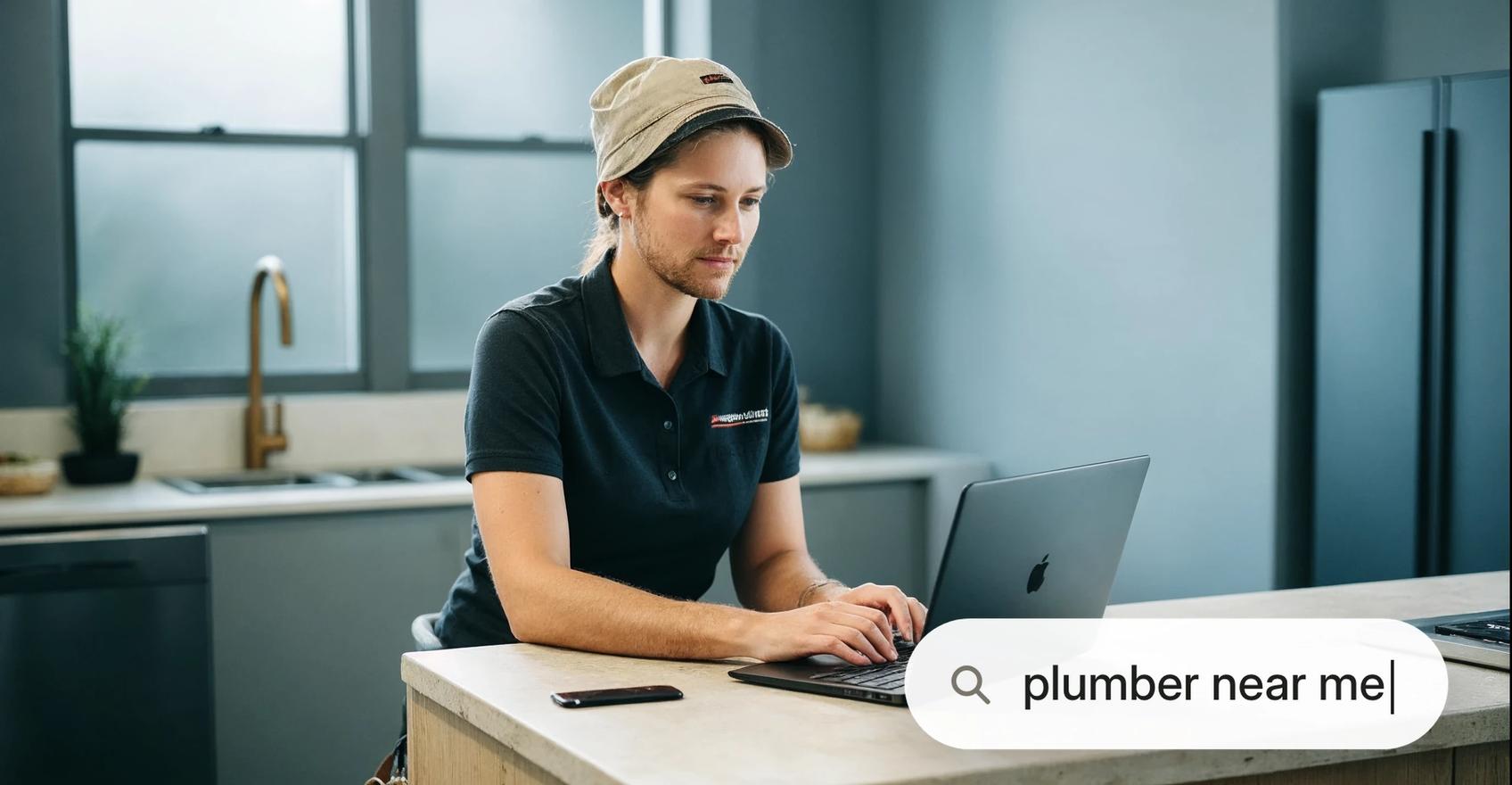
The generic advice is "upload high-quality photos." The specific reality for trades businesses is different. A flooring company that photographs every job and stores the files locally is doing the first half of the job. The company that posts those photos to GBP with a city-name caption is sending a live relevance signal. The first company has great records. The second company ranks.
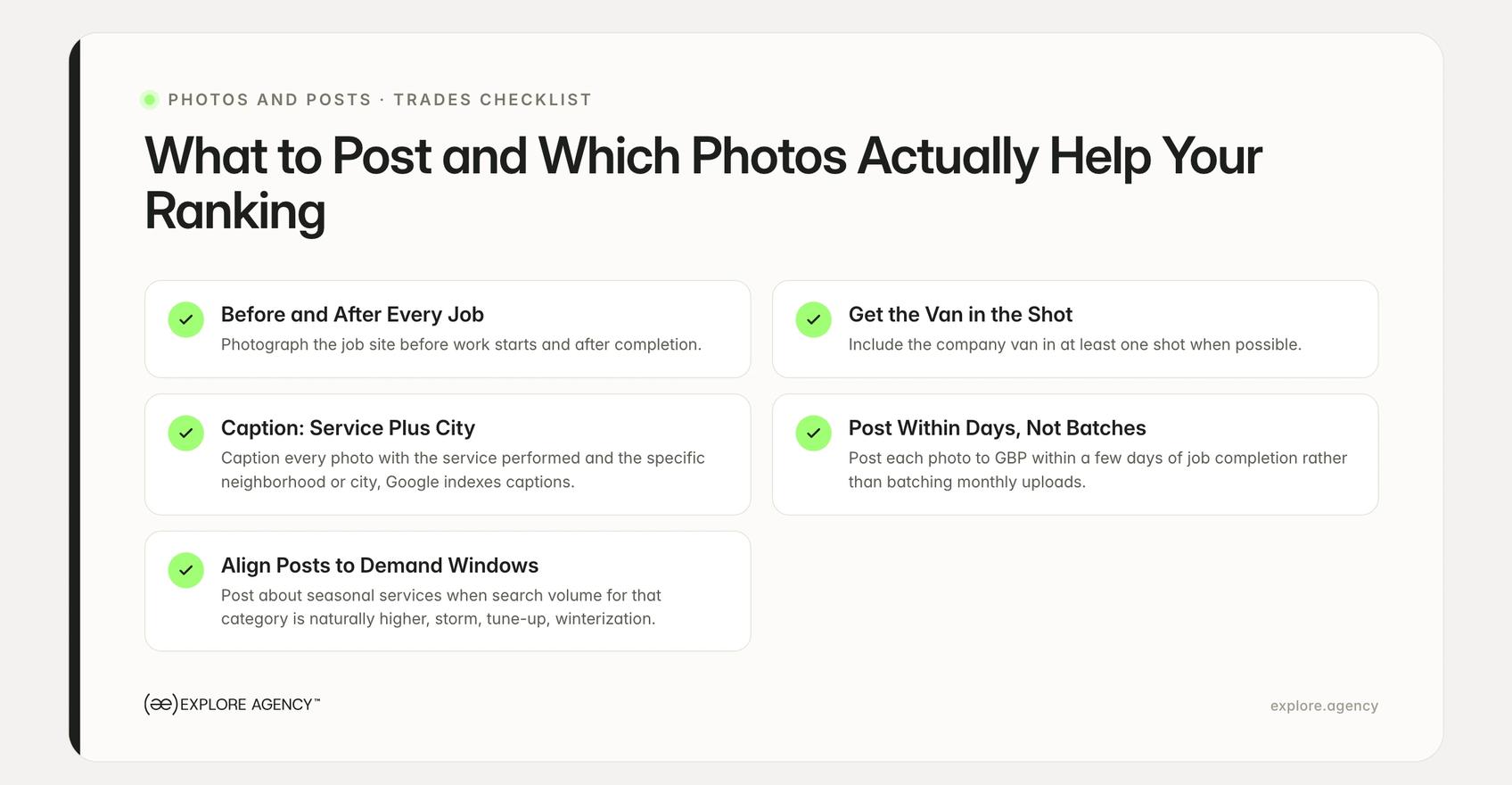
For trades businesses, the most effective GBP photos share a consistent structure. A before-and-after framing tells a visual story that works for roofing, flooring, plumbing, and HVAC alike. The van visible in the driveway adds implicit location and brand recognition. The job site itself establishes context.
What most trades businesses skip is the caption. A photo uploaded with a filename like IMG_4821.jpg sends no signal. The same photo captioned "Asphalt shingle replacement in Oakville after wind damage" sends the city, the service, and the trigger. Google indexes GBP photo captions. Geotagging the photo file itself before upload adds another layer, though the caption is the more reliable signal.
The practical checklist:
GBP posts add fresh indexable content and signal active profile management. For trades businesses, the most effective posts align with seasonal demand windows when search volume is naturally higher.
A storm-damage roofing company posting about storm inspection services in April, when hail season begins, is posting when search demand for that service is rising. An HVAC company posting spring tune-up offers in March is matching post timing to the period when "AC tune-up near me" searches spike. A plumbing company running a water heater winterization post in October is ahead of the November rush.
The timing matters because post relevance compounds with search demand. A well-matched post during a demand spike reinforces the relevance signals Google is already weighing more heavily for that category of search.
These are the two GBP sections that all six top-10 competitors skip entirely. Attributes and Q&A are both ranking surfaces that most trades businesses leave empty.
GBP attributes by trade type that change which filter-based searches you appear in:
When a searcher uses Google's "Open now" or "24 hours" filter, only businesses with the matching attribute appear. A plumbing company that offers emergency service but has not enabled the attribute is invisible in that filtered result, regardless of how strong the rest of the profile is.
Q&A seeding by trade with keyword logic:
The Q&A section appears on your Maps listing and Google can surface it in answer panels. Most businesses wait for customers to ask questions and then answer them. The more effective approach is to seed the section yourself with the questions your customers actually ask, answered with language that embeds your trade keywords and city.
The seeded Q&A does two things. It answers the question before a customer needs to ask, and it places keyword-rich text on your Maps listing in a section most competitors have left blank.
Get Started
We help businesses turn strategy into measurable growth through better positioning, websites, paid media, SEO, and AI systems. Let’s look at what’s holding growth back and what to fix first.
Google's distance signal gives a structural advantage to businesses closest to the searcher, and no GBP setting fully overrides it. A competitor who appears above you for searches in your city may simply be closer to those searchers, even if your GBP is more complete and your reviews are stronger.
What you can control is relevance and prominence. A correct primary category, a complete service-area polygon, active review velocity, and regular post and photo activity all improve your standing in those two signals. A competitor appearing above you in your own service area, when you outrank them on relevance and prominence metrics, is usually a distance problem. A competitor appearing above you when their profile is objectively stronger is a GBP completeness problem. The two have different fixes.
A realistic service radius for most trades businesses is roughly the area where you can legitimately claim local presence: the city or cities where your team regularly works, within roughly 25 to 30 km of your registered location. Chasing rankings in cities at the edge of a wide service-area polygon, where proximity will always limit your standing, is less productive than dominating the core area where distance works in your favor.
A well-optimized GBP drives calls. That part works. The problem that surfaces next is attribution: a roofer gets a strong lead count on the dashboard, calls are coming in, and a fraction survive intake. The ones that do not convert disappear into the gap between "Maps impression" and "booked job." Without connecting Maps-sourced inquiries to closed jobs, there is no way to decide what to invest in next.
This is the attribution gap that every GBP optimization effort eventually reaches. The GBP sends the signal; the phone rings; what happens to that call is invisible unless the system connecting Maps to your job management or CRM is built. That connection is what allows a trades business to calculate its actual cost per booked job from organic local search, not just from paid campaigns.
Building that system is what local search strategy looks like when it functions as a job pipeline rather than a traffic report. The GBP signals covered in this article are the top of that pipeline. The website side of local SEO, including service-area pages, citations, and links, is covered in our guide to local SEO for contractors.
There is no fixed review threshold for the 3-pack. Review velocity, how many new reviews arrive each month, matters more than total count, and a profile with consistent monthly activity will outrank a competitor whose reviews have stalled at a higher number.
Yes. Owner responses are indexable text, and replies that naturally include the service performed and the city name reinforce the keyword signals Google uses for Maps relevance, on top of the engagement signal the response itself sends.
Every honest answer to "how to rank higher on google maps" points to the same three corrections first. The highest-impact changes are completing your SAB setup correctly: define a service-area polygon, hide your home address if applicable, and select the most specific primary category for your trade. These three GBP settings affect relevance and visibility before any review or post activity compounds them.
You can appear in nearby cities if your service-area polygon includes them, but Google's distance signal limits how prominently you show in the 3-pack the farther you are from the searcher. The polygon is necessary; it does not override proximity.
Posts add fresh indexable content and signal active profile management to Google. Posts that name a specific service and location reinforce keyword signals that drive Maps relevance, particularly in trades where seasonal demand creates concentrated search windows.
Explore Agency runs paid media, web and SEO as one integrated system — with revenue tracked to real booked jobs.
Articles
SEO & AI SEO
November 11, 2026

SEO & AI SEO
November 8, 2026